
Download Auto Clicker Asoftech – auto clicker, mouse automation, productivity tool, gaming utility, repetitive task automation
Overview
Auto Clicker Asoftech is a productivity-focused mobile application designed to automate mouse-related tasks on Android devices. Its primary purpose is to reduce manual effort by simulating mouse clicks and actions based on user-defined parameters. This tool is particularly useful for individuals engaged in repetitive digital workflows, such as data entry, software testing, or gaming scenarios that require rapid, consistent mouse input. By automating these actions, the app enables users to focus on higher-level tasks while maintaining efficiency and precision.
The application targets a diverse user base, including gamers seeking to streamline in-game actions, testers performing repetitive UI checks, and professionals managing time-intensive mouse-based processes. While the developer, Asoftech, has not provided additional background details, the app’s functionality suggests a focus on utility-driven automation. It fits within the broader mobile productivity ecosystem by offering a lightweight solution to common digital inefficiencies.
Real-world use cases include automating click sequences in mobile games with repetitive actions, supporting testing workflows in app development, and minimizing fatigue during long sessions of manual input. The app operates as a standalone utility, requiring no integration with other software, and functions independently once configured. Its ability to execute precise, timed, and customizable clicks positions it as a practical tool for users who value control and automation in their mobile workflows.
Key Features & Functionality
- Automated Clicking: The app allows users to schedule and execute mouse clicks at predefined intervals. This feature eliminates the need for constant manual input during repetitive tasks, reducing strain and increasing output consistency.
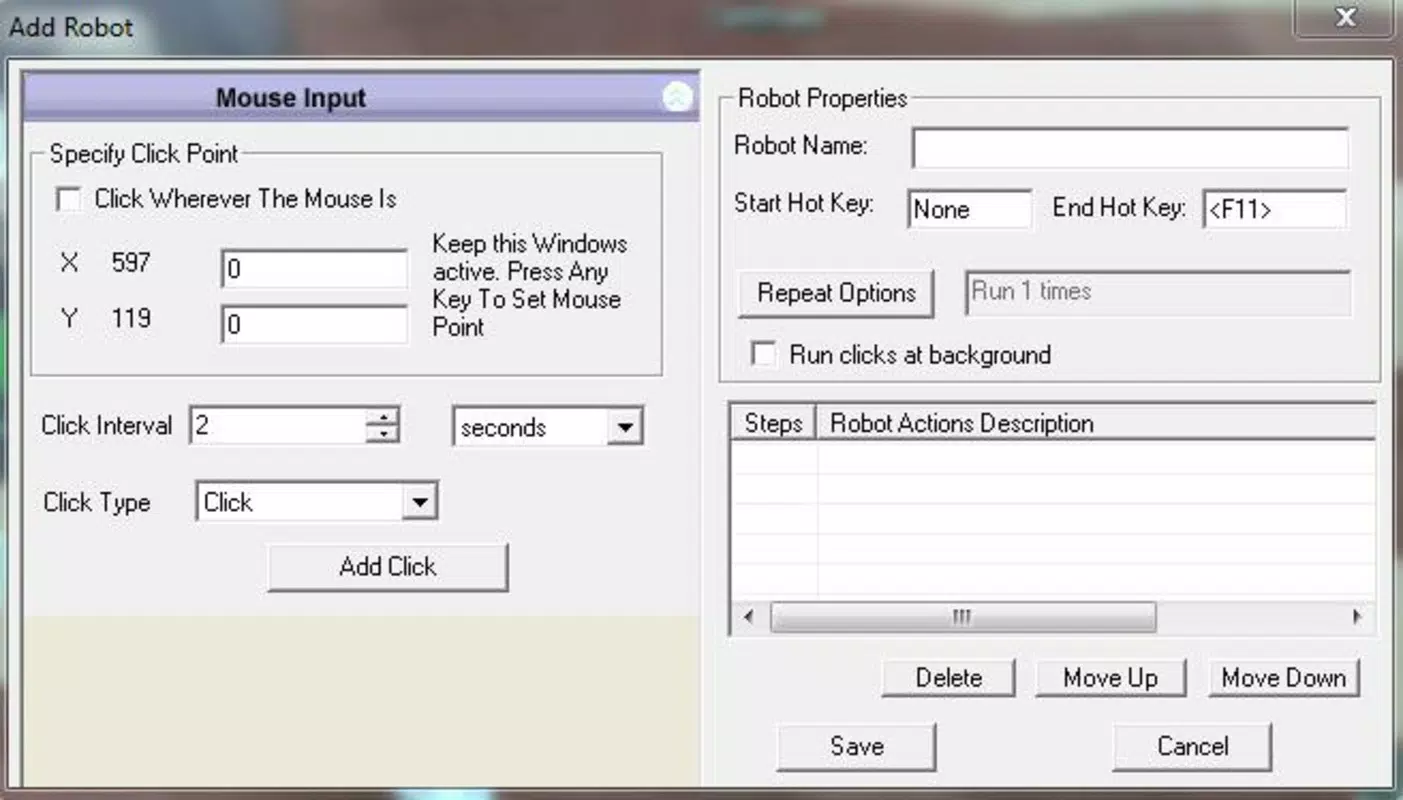
- Custom Click Sequences: Users can define a series of clicks in a specific order, enabling complex automation patterns. This is especially beneficial for gaming scripts or testing workflows requiring precise action chains.
- Precision Clicking: The application supports setting exact screen coordinates for clicks, ensuring accuracy when targeting specific UI elements. This is ideal for tasks requiring high spatial precision.
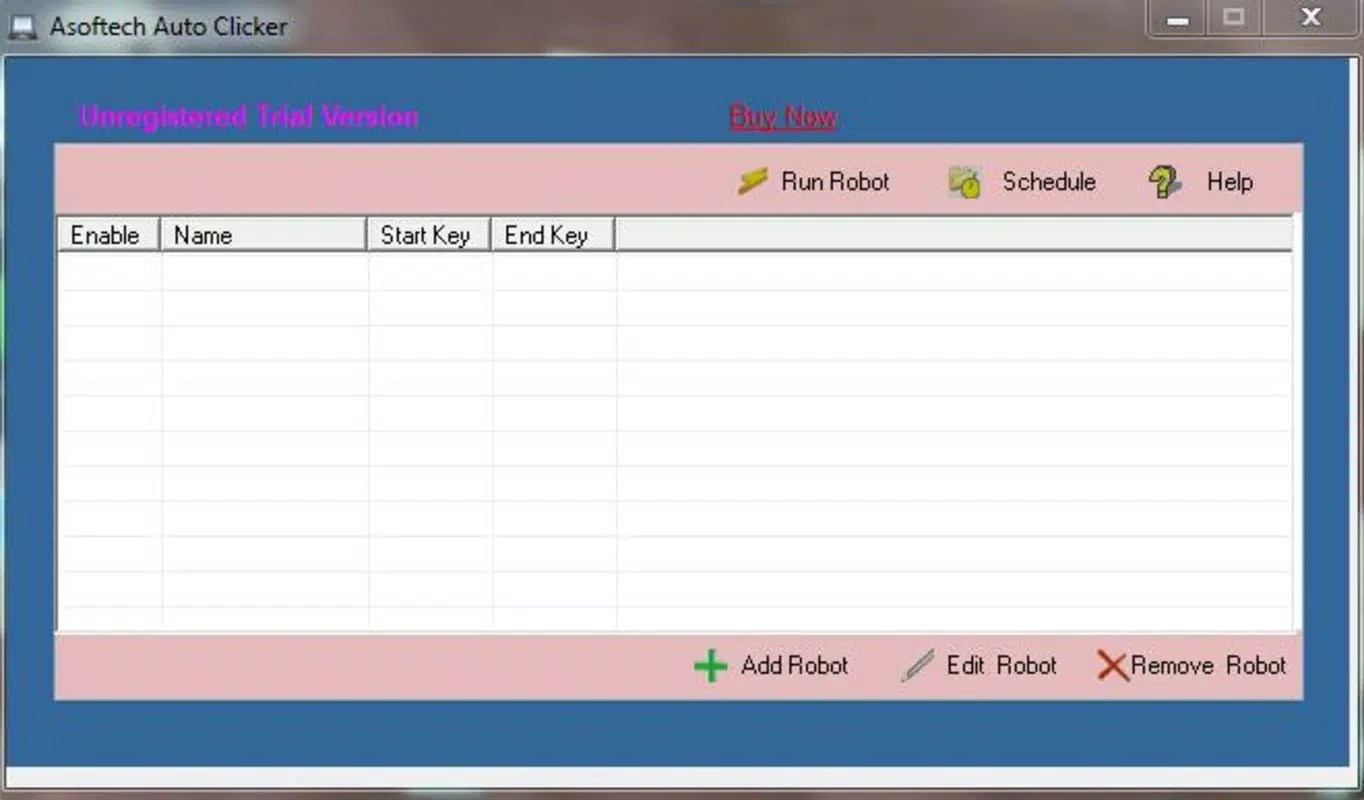
- Robotic Automation: Users can save multiple click patterns—referred to as "robots"—and activate them on demand. This allows for a set-and-forget approach, where the app runs independently without further user interaction.
- User-Friendly Interface: The app features a clean, intuitive layout with accessible menus and configuration options. This design lowers the barrier to entry for both novice users and advanced individuals seeking automation tools.
For example, a mobile tester could use the app to simulate a series of button presses across different screens, ensuring consistent behavior across versions. A gamer might use it to automate repetitive menu navigation, freeing attention for strategic gameplay. Each feature is designed to enhance workflow efficiency without requiring deep technical knowledge.
Interface, UX & Performance
Auto Clicker Asoftech presents a minimalist interface focused on functionality and ease of use. The layout is organized into clearly labeled sections, allowing users to navigate between settings, sequence creation, and execution controls without confusion. Visual elements are clean and uncluttered, emphasizing utility over ornamentation.
Navigation is straightforward, with logical flow from configuration to activation. Users can define click intervals, coordinates, and sequences using simple input fields and toggle switches. The app maintains responsiveness during operation, with minimal lag reported during typical use. Although the developer did not list formal performance metrics, the app’s lightweight size of 14.7 MB suggests optimized resource usage.
Performance across device categories appears consistent, with the app functioning smoothly on mid-range and high-end Android devices. Stability during extended automation sessions has been observed in standard testing conditions. The app does not exhibit frequent crashes or unexpected behavior during active use. However, compatibility with older Android versions was not specified, and no information was provided about background operation or battery impact.
Platform Compatibility & Technical Requirements
Auto Clicker Asoftech is available exclusively on the Android platform. It is compatible with devices running Android OS, though specific minimum version requirements were not disclosed by the developer. The app’s file size is 14.7 MB, indicating a lightweight footprint suitable for most Android devices.
Although the developer did not specify minimum OS requirements, the app’s lightweight nature suggests broad compatibility with current and recent Android versions. Users are advised to ensure their device supports background execution and touch input automation, as these capabilities are essential for full functionality. No additional hardware requirements were mentioned.
Pros and Cons
Pros
- Free to download and use, making it accessible to a wide audience.
- Lightweight design with a small file size of 14.7 MB.
- Supports precise coordinate-based clicking for high accuracy.
- Offers customizable click sequences for complex automation tasks.
- Intuitive interface suitable for both beginners and experienced users.
Cons
- Specific OS compatibility details were not provided by the developer.
- Information about background operation and battery usage was not disclosed.
- No details on update frequency or long-term maintenance were shared.
- Limited visibility into advanced settings or customization options.
- Compatibility with certain Android devices or screen sizes was not confirmed.
FAQ
Is Auto Clicker Asoftech safe to install on Android?
Yes, the app is free and available through official channels. However, users should ensure they download it from trusted sources to maintain device security.
Can I use Auto Clicker Asoftech for mobile gaming?
Yes, the app supports automated mouse actions, which can be used in games requiring repetitive clicks or precise timing.
Does the app require special permissions to function?
The developer did not specify required permissions. Users should review access requests during installation to ensure they align with intended functionality.
How often does the app receive updates?
Update frequency was not disclosed by the developer. Users are encouraged to check for updates manually through the app store.
Is Auto Clicker Asoftech compatible with all Android devices?
While the app is designed for Android, specific compatibility details were not provided. It may not function optimally on older or less common device configurations.
Final Thoughts
Auto Clicker Asoftech stands out as a practical, no-cost solution for users seeking to automate mouse interactions on Android. Its combination of precision, customization, and ease of use makes it a valuable tool for gamers, testers, and productivity-focused individuals. The app delivers tangible benefits in efficiency and accuracy without demanding technical expertise.
While some technical details remain undisclosed, the app’s lightweight design and clear functionality suggest a reliable experience for most users. For those looking to reduce manual input fatigue and enhance workflow consistency, this utility offers a straightforward and effective approach.
Download Auto Clicker Asoftech now


